Salon Keeper
Salon owners were managing appointments through paper notebooks and tracking sales with manual receipts — leading to double bookings, missed revenue, and zero visibility into business performance.
We built a cross-platform Flutter mobile app with Firebase that handles appointment scheduling through a calendar and day-view system, product inventory management, a sales checkout flow, staff role management, and real-time reports and analytics — all in one place.
A salon management app built with Flutter and Firebase
Salon Keeper is a cross-platform mobile application built with Flutter and backed by Firebase Authentication and Cloud Firestore. The app provides a complete management toolkit for salon owners and their staff — covering appointment scheduling, product inventory, point-of-sale checkout, staff management, and business analytics. A two-role system separates admin and staff access, so owners get full control over operations while staff members only see what they need to handle appointments and sales.
Paper-based scheduling and no sales visibility
The salon managed appointments through handwritten notebooks and verbal confirmations. Double bookings were a weekly problem, and there was no way to see the day's schedule at a glance. Sales were tracked with handwritten receipts, making it impossible to know daily revenue, best-selling services, or which staff member generated the most income. Inventory of salon products was counted manually, leading to stockouts that frustrated clients.
Calendar and day-view scheduling with time slot management
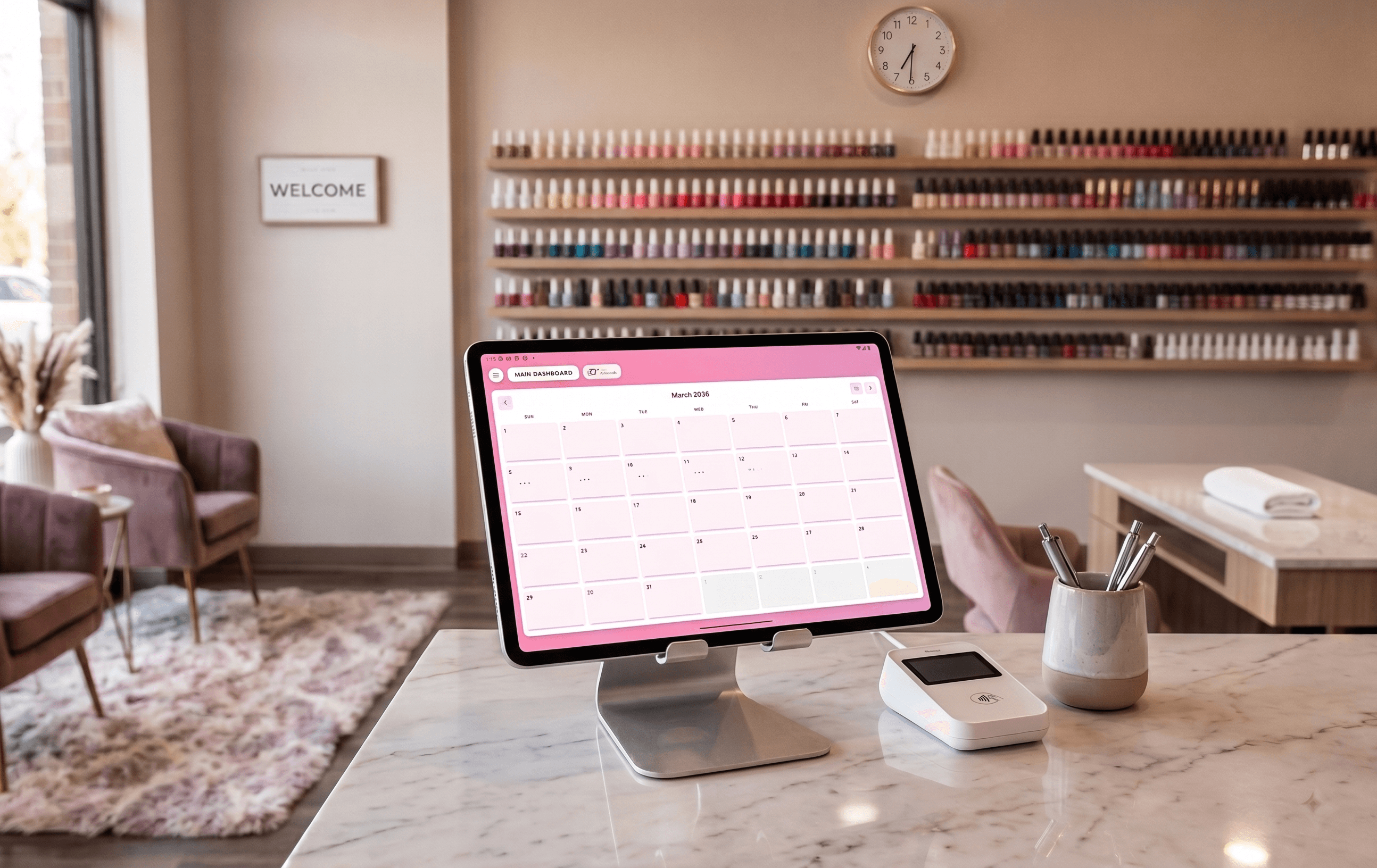
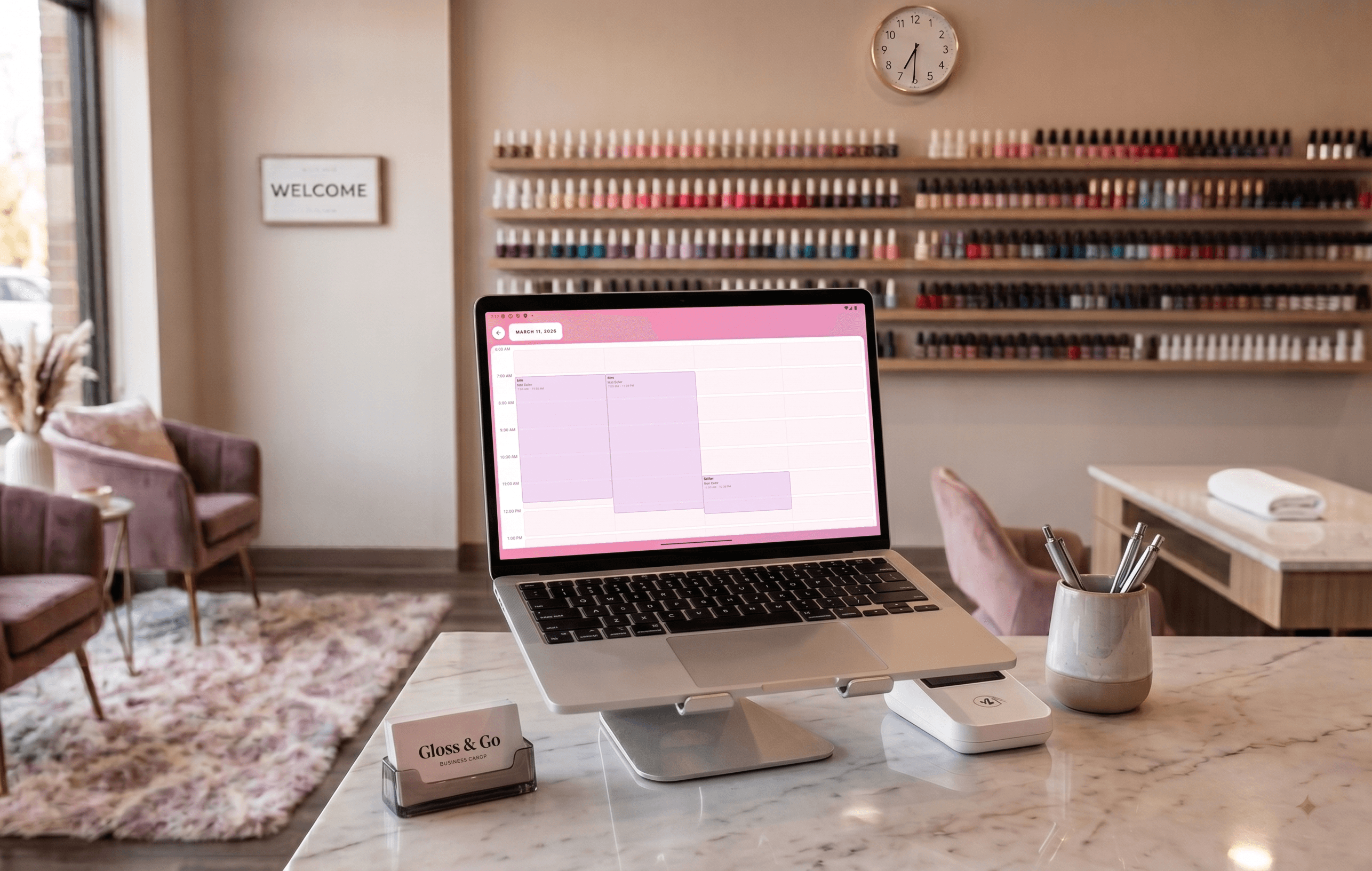
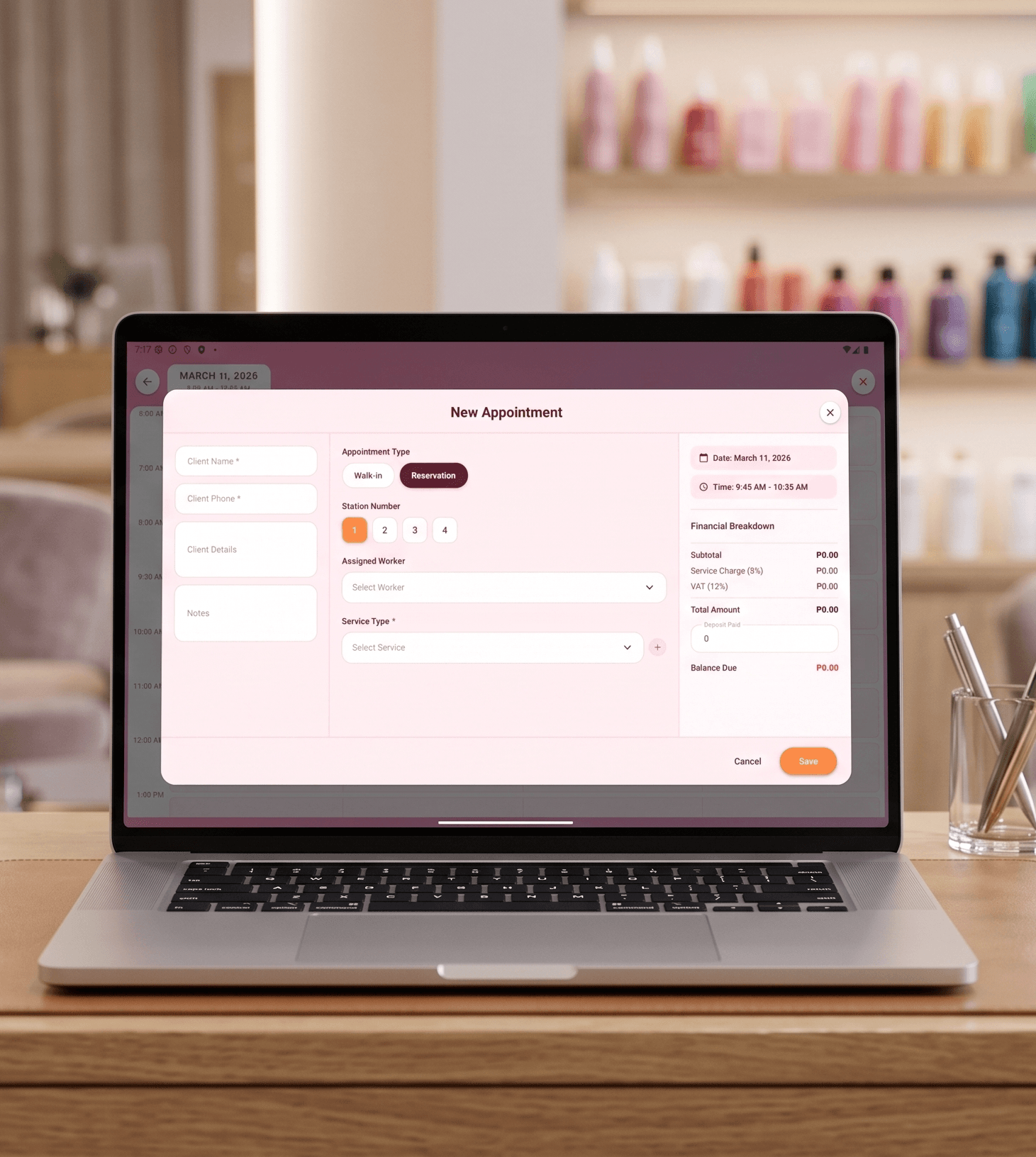
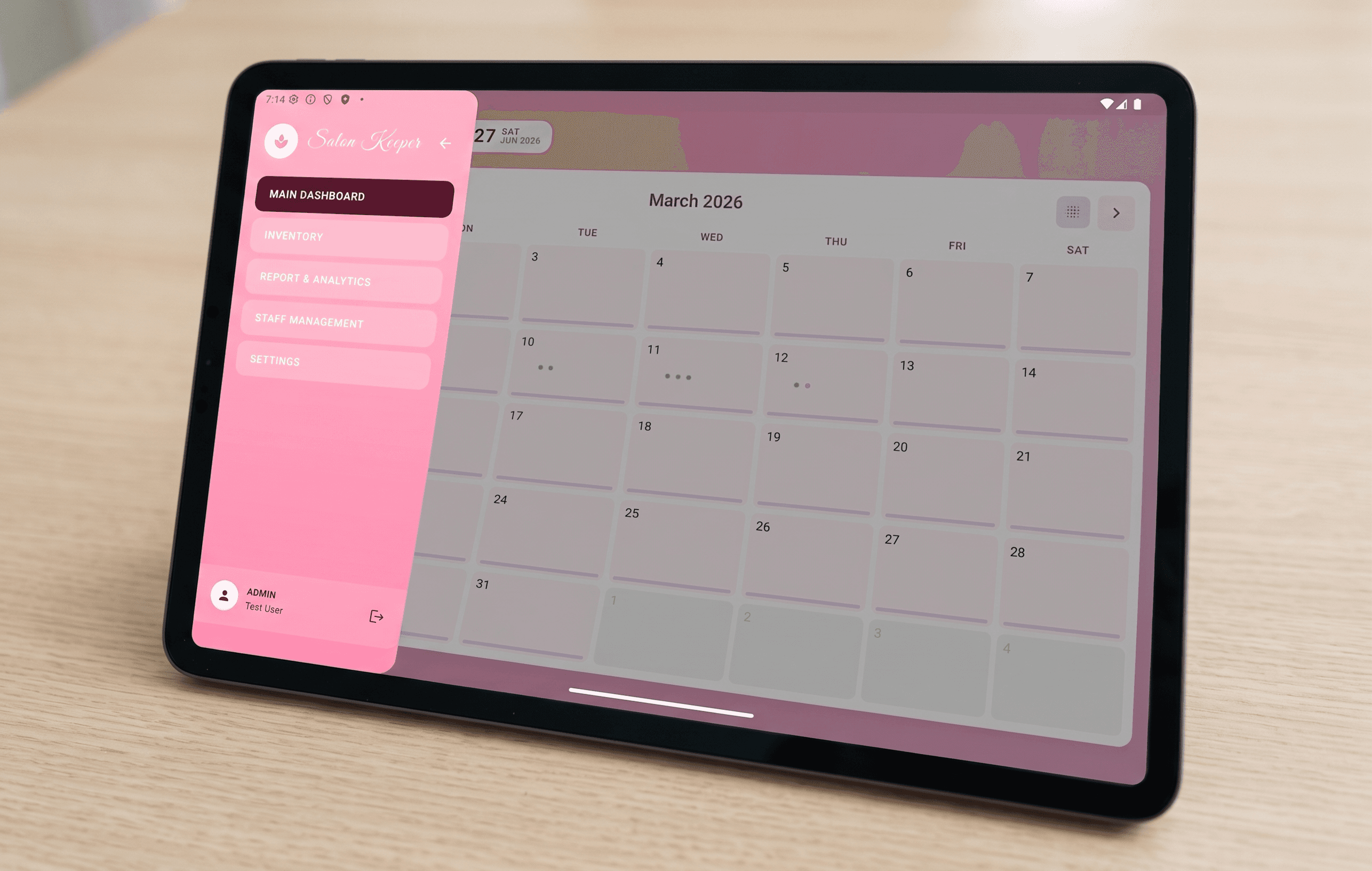
The appointment module provides two views — a monthly calendar page for an overview of bookings and a detailed day-view page for managing individual time slots. Each appointment is linked to a client, assigned staff member, and selected service. The system uses structured time slot models to prevent overlapping bookings and ensure each stylist's availability is respected. Staff can create, edit, and cancel appointments directly from their mobile device.
Point-of-sale checkout and product inventory tracking
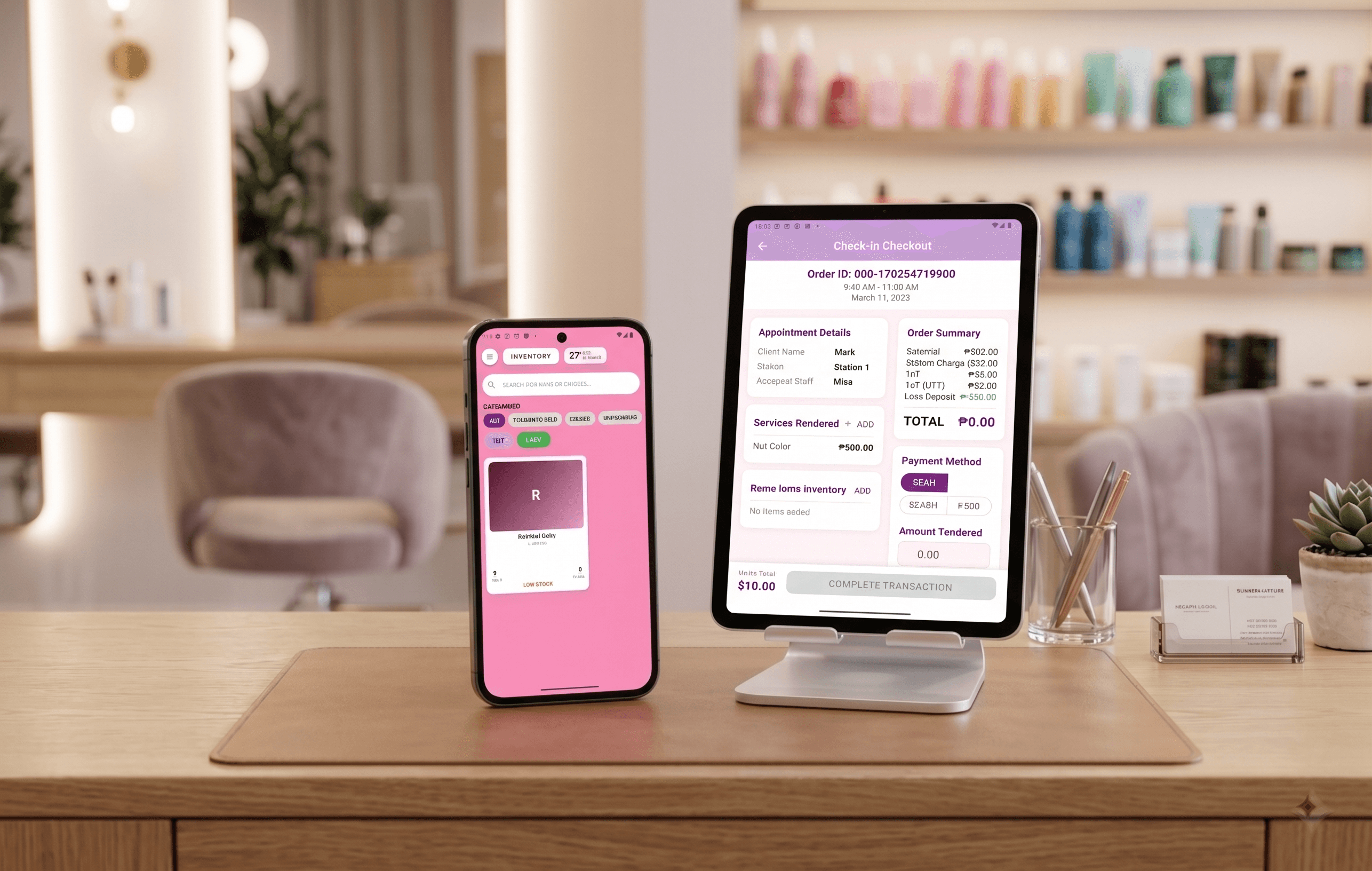
The sales checkout page lets staff process transactions after appointments — selecting services rendered, adding product purchases, and recording payment. Every sale is logged as a sales record in Firestore, feeding into the reports and analytics page. The inventory page tracks salon products with quantity levels, so owners can see what's running low and reorder before stockouts happen. Admin and staff roles determine who can modify inventory versus who can only view it.
Role-based access with separate admin and staff layouts
The app implements a two-role system using Firebase Authentication and Firestore security rules. Admins access the full management suite through the admin base layout — staff management, inventory control, sales reports, analytics, and settings. Staff members use a focused staff base layout that shows only their assigned appointments and the sales checkout flow. The staff management page lets admins add, edit, and deactivate staff accounts, while the settings page handles salon-level configuration like business hours and service menus.